EXTRACTION & REVIEW
Your systems.
One organized workflow.
A guided look at iKon and TheraOffice extraction, with a defined location, patient identity, and a review path for conflicting information.
iKonapexTheraOffice
Claims, payer evidence, payments, and patient context. Apex brings the work behind your billing into focus.
01 / THE APEX APPROACH
When the details live in different systems, the follow-up becomes the work. Apex is designed to connect those details, so your team can focus on what needs attention.
Follow the workflowPurpose-built conversations.
A setup shaped around your locations.
Review location-specific iKon and TheraOffice extraction workflows in one place.
Connect the patient, date of service, claim documents, and payer evidence.
Hold conflicting identities and uncertain matches for a person to review.
Follow payments, denial reasons, fax bundles, and the history behind a claim.
02 / THE PLATFORM
From a patient’s date of service to the document behind a payment, explore the workflows Apex is bringing together.
A guided look at iKon and TheraOffice extraction, with a defined location, patient identity, and a review path for conflicting information.
See claims, organized fax bundles, delivery history, and patient context as part of one traceable story.
Explore original payer EOB workflows for Oscar and GEICO, connected to claim and service-date review.
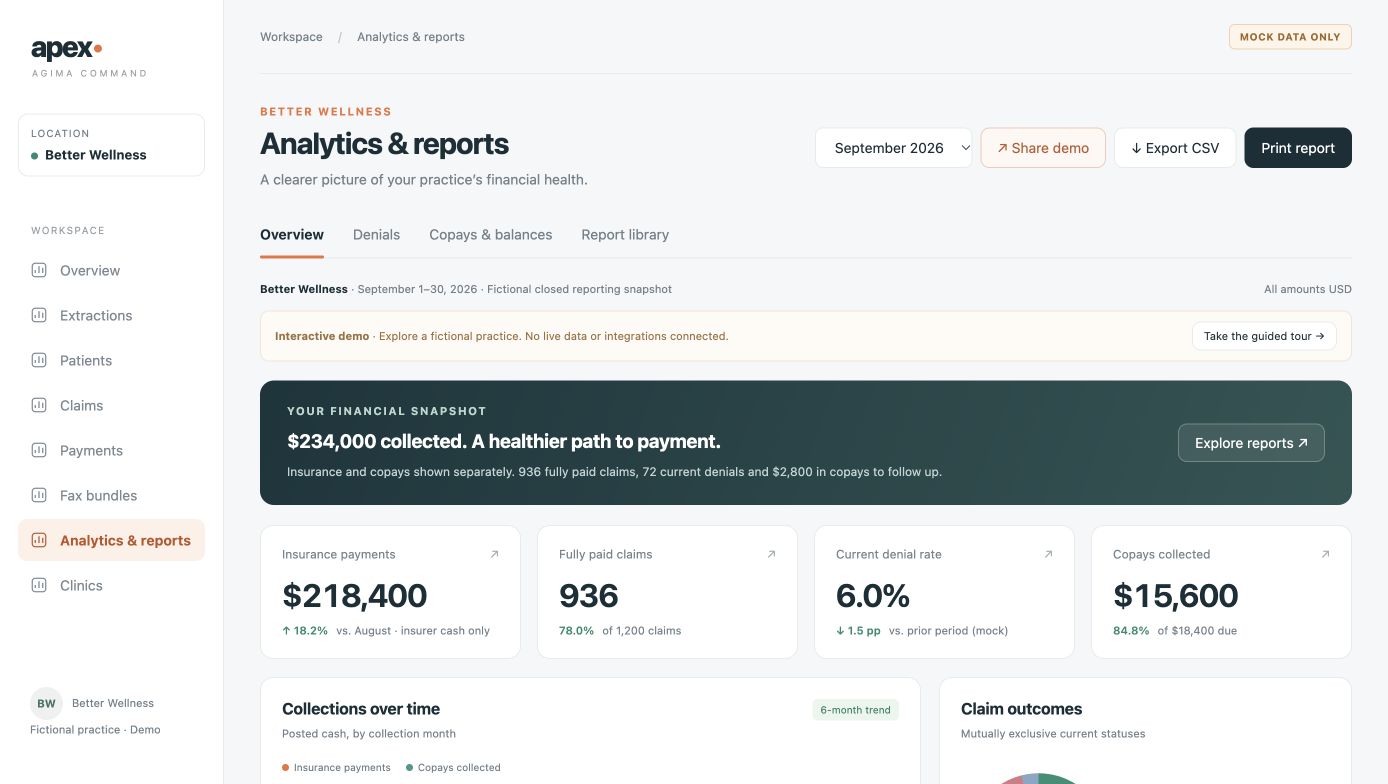
Explore collections, denials, aging, and copays by payer. Then take a closer look at the detail.
Illustrative collection trendDemonstrated with fictional data. Production scope and readiness are validated for each location.
03 / EXPLORE APEX
Watch the walkthrough, then get hands-on with the Better Wellness analytics showcase.
Fictional practice. No patient-system connection.Claims, fax bundles, iKon & TheraOffice extraction, Oscar & GEICO EOBs, payments, and patient profiles.Illustrated simulation of the workflow. No live extraction, faxing, or payment posting.
Try the interactive demo04 / BUILT AROUND YOUR PRACTICE
Your office setup should support your workflow. We start with the systems, access, and responsibilities already in place.
Walk through your current process, systems, locations, and the friction you want to remove.
Agree on scope, access, data handling, and any location-specific connectivity or hardware.
Test the agreed workflow, review exceptions, and confirm the next step before adding locations.
LET’S FIND YOUR NEXT STEP
Tell us what your team is working through. We’ll use that context to shape a relevant conversation and demo.
Your practice is unique.
Your setup should reflect that.
A FEW THINGS TO KNOW
Yes. The interactive Better Wellness showcase lets you explore analytics, payer views, denials, and copay reporting with fictional data. The videos walk through the broader workflow. The showcase is a simulation, with no connection to a patient system or payer account.
We begin with your current systems, location structure, and the specific work you want to improve. Then we agree on scope, access, data handling, and responsibilities before validating a location-specific setup. A demo does not activate an integration or start an extraction.
Not necessarily. A small on-site gateway can help when a system is accessible only from the office network. The right device depends on the software: Windows-only applications often need a managed Windows device, while a Raspberry Pi may suit lightweight connectivity and monitoring. We assess each location before recommending hardware.
The intended workflow uses original EOB documents obtained directly from payer portals, such as Oscar and GEICO. The public demo uses fictional examples to illustrate that workflow. Source documents and identity conflicts are treated separately from payment records.
You can watch the captioned workflow and analytics videos, and try a fictional analytics dashboard. These are demo experiences, not a production deployment. Integrations, permissions, security requirements, and production readiness are reviewed for each proposed engagement.